
ChakriPrep on your phone
Open it in one tap and carry on from where you left off. The app comes straight from this site; it is not on the Play Store.
Runs on Android 7 and later.
File details
- Version
- 1.0.5
- Size
- 3 MB
- Released
- 27 October 2026
- SHA-256
- 06ab75440f7740a90a9454b6073504babbbba7d5440324be31c9f32117f8a131
Compare this code to check the file arrived intact.
How to install
Because it is not from the Play Store, your phone asks a few times. Each step is shown below.
- 1
Download
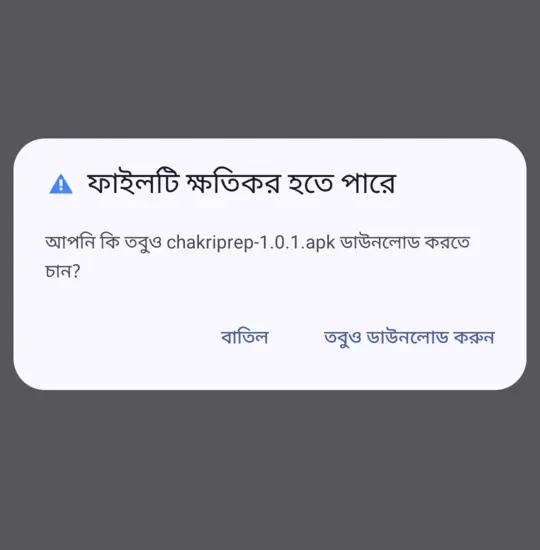
Tap the button above. If the browser warns you, tap "Download anyway".
- 2
Open the file
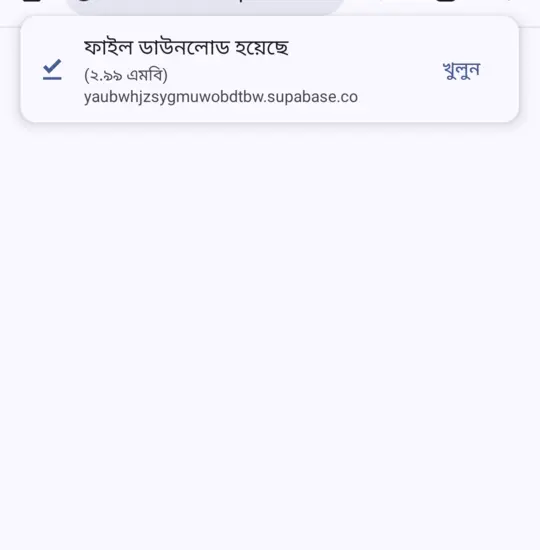
When the download finishes, tap "Open" in the browser's message. If it has gone, open the file from your notifications.
- 3
Allow it
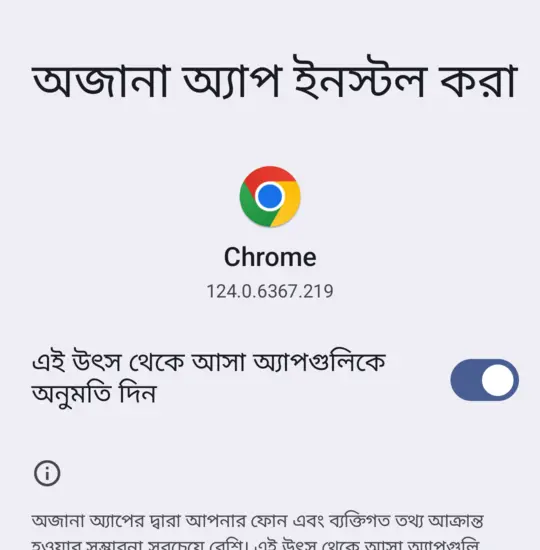
The first time, your phone asks. Tap "Settings" and turn on "Allow from this source".
- 4
Install
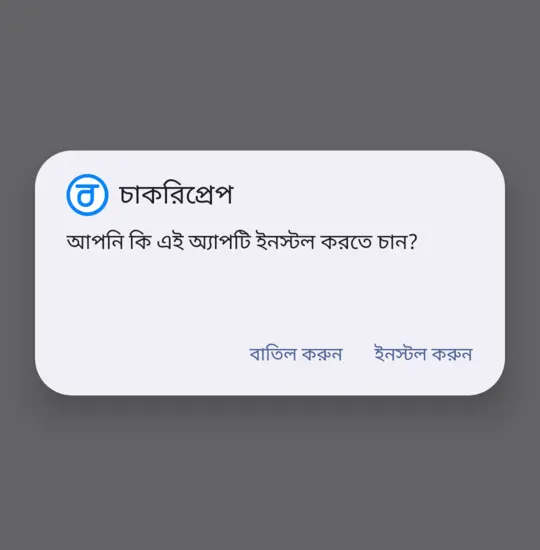
Tap "Install". If Play Protect warns you, open "More details" and tap "Install anyway".
Why the warnings
Android asks this for every app from outside the Play Store. The app only opens this site and reads nothing else on your phone.
New versions
The app tells you when a new version is out. Download it in one tap and install it the same way; your progress stays.